Online RSVP Websites for Retirement Parties
Create a thoughtful online RSVP retirement party page with everything included— optional wishlists, optional meal selection, interactive invitations, privacy controls, real-time guest tracking, and a free QR code—available on every Sonfie online RSVP website type.
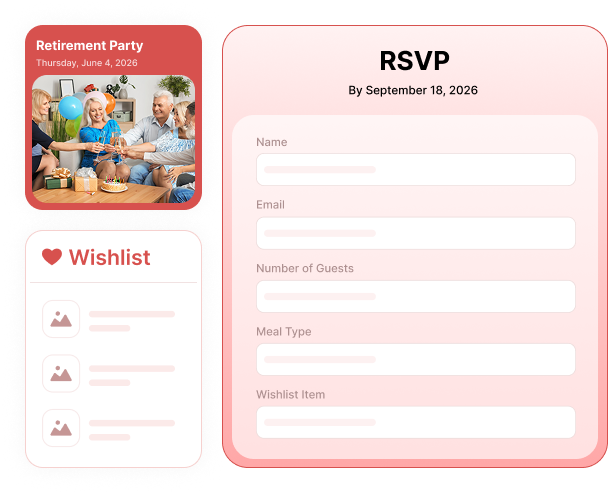

Why Use Sonfie for Online RSVP Retirement Parties?
Sonfie is designed to support meaningful celebrations without unnecessary complexity. Every Sonfie online RSVP retirement party page includes the same core RSVP tools—regardless of which website type you select.
Your retirement party invitation becomes a complete online RSVP experience that’s easy for guests and effortless for organizers.

A Complete RSVP Experience for Retirement Parties
Custom Online RSVP Retirement Parties Website
Create a personalized online RSVP retirement party page with a unique Sonfie URL you can share anywhere. Add event details such as date, time, location, dress code, program notes, or special instructions—all displayed on a clean, mobilefriendly page.
This feature is included with all Sonfie RSVP website types, including Blank, Banner, Photo, Video, and Interactive.

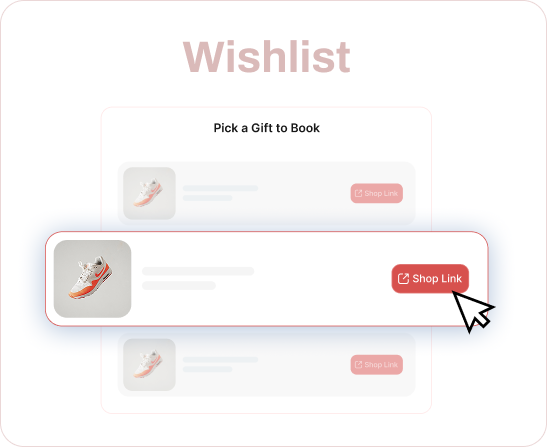
Optional Retirement Party Wishlist or Potluck List (No Extra Cost)
Sonfie includes an optional wishlist feature at no additional cost, giving hosts flexibility in how gifts or contributions are handled.
The wishlist can be used for:
- Retirement gifts or cards
- Memory book contributions or messages
- Experience or travel contributions
- Potluck-style food or drink items
Guests select items directly from the wishlist when they RSVP, helping avoid duplicates and keeping coordination simple.
Hosts can also control whether wishlist selection is:
- Optional
- Required to RSVP, meaning guests must select at least one wishlist or potluck item before submitting their RSVP
Wishlist settings can be enabled, disabled, or changed per event—without extra fees and regardless of which Sonfie website type you choose.
Optional Meal Selection for Retirement Parties (No Extra Cost)
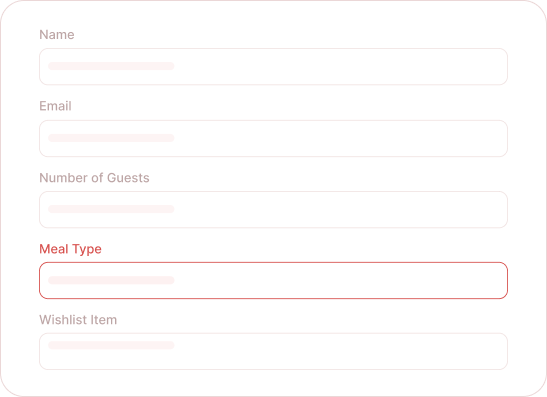
Meal selection is an optional feature included at no additional cost on all Sonfie online RSVP retirement party pages.
Hosts create the actual meal options being served—such as plated dinners, buffet selections, vegetarian options, or casual fare. When guests RSVP, they select a meal option for each attendee they are responding for.
This provides accurate food counts without spreadsheets or follow-up messages.
Interactive Online Retirement Party Invitations
Make the celebration more memorable with interactive RSVP experiences. Choose from interactive invitations, prompts, or reveal-style experiences that guests complete before submitting their RSVP.
Interactive experiences are available across Sonfie RSVP website types and can be used alongside traditional retirement party RSVP pages.
Smart RSVP & Guest List Management
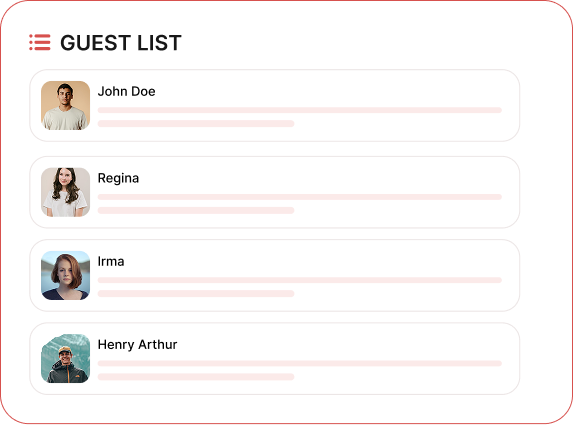
Every Sonfie online RSVP birthday page includes real-time RSVP tracking. From your dashboard, you can instantly see:
- Who is attending and who isn’t
- Number of guests per RSVP
- Guest names
- Meal selections for each attendee (if enabled)
- Wishlist or potluck items guests have selected
All RSVP data updates automatically, regardless of which Sonfie website type you selected.
Everything You Need in One Online RSVP Page
Public or Private RSVP Pages
Share Your RSVP Anywhere
Real-Time RSVP Tracking
Downloadable Attendee List
Mobile-Friendly for Guests
One-Time Payment, No Subscriptions
Privacy, Control, and Peace of Mind
See How Sonfie Works for Retirement Parties
Creating your online RSVP retirement party page is simple. Choose your website type, enter your event details, optionally enable wishlist, meal selection, or password protection, and publish.
Your free QR code is automatically generated for easy sharing. Most Sonfie retirement RSVP pages are ready within 48 hours—often sooner.
Online RSVP Retirement Party FAQs
Yes. Sonfie works well for both formal retirement celebrations and casual gatherings.